Portfolio

Nuclear Fusion - Fusion Element Production Facility (FEPF)
The FEPF is one of my projects that you are reading about. Now, if you are wondering what nuclear fusion is, it is basically the process of 2 nuclei combining or fusing.
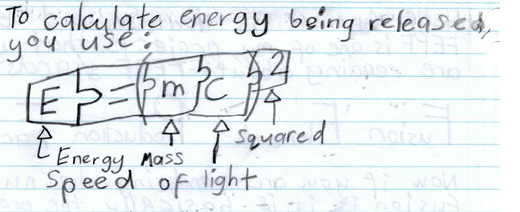
To calculate energy being released, you use: E = MC2. Where E is the energy, M is the mass, and C is the speed of light.
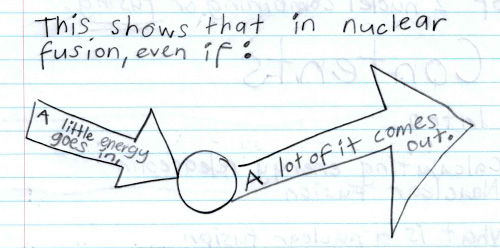
This shows that in nuclear fusion, even if a little energy goes in, a lot of it comes out.
Nuclear Fusion Reactor
Nuclear fusion reactor is basically a place where nuclear fusion can take place. The easiest elemental isotope to fuse is Hydrogen-2, in the process shown below.
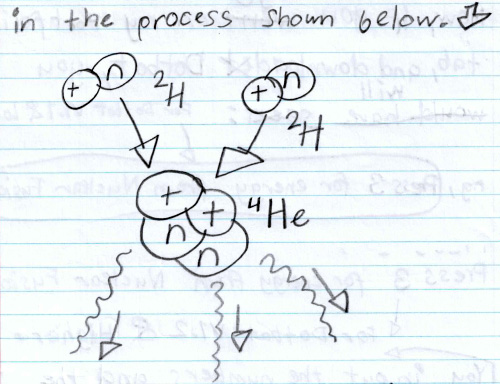
To build a nuclear fusion reactor you just need a very hot and protective space here you put the hydrogen inside and out comes the Helium along with energy to power my whole neighbourhood.
Reference: Speed of light = 299756458 m/s.
Please follow the instructions below to download and run my Nuclear Fusion Calulator program in my DotBot program.
Download and Run Program on Windows
Click the button below to download a ZIP file. It contains the program created by me that you can run on a Windows computer.
Step-by-Step: How to Open It
- Click the button above. A file ending with extension .zip will start downloading.
- Once it finishes, go to your Downloads folder.
- Right-click on the file and choose Extract All...
- Open the new folder that appears.
- Double-click the file that ends with .exe (it might say Calculator.exe).
If You See a Warning
If Windows shows a message saying "Windows protected your PC":
- Click More info
- Then click Run anyway
This message appears because the program is new and not yet verified by Microsoft. But it is safe to use.
Need help? You can contact me using the Contact Me form below.
Download and Run Program on Mac (macOS)
You can still download and unzip the program on a Mac by using the same instructions above for windows, at your own risk, as it won't run directly on macOS. If you'd like to try running it on your macOS, below are some tools that can help:
- WineBottler – Free tool to run simple Windows apps on macOS. Website: winebottler.kronenberg.org
- CrossOver – Easier version of Wine (paid, with free trial). Website: codeweavers.com/crossover
- Parallels Desktop – Runs Windows in a virtual machine (paid). Website: parallels.com
- VirtualBox – Free virtual machine software (you will need a Windows installer). Website: virtualbox.org
These methods are more suitable for users who are comfortable with installing software or using virtual machines on macOS.
Need help? You can contact me using the Contact Me form on the Contact page.